
Step-by-Step Guide to Preparing for an Intuit Enterprise Suite Migration
Migrating to Intuit Enterprise Suite represents a pivotal moment for multi-entity businesses ready to scale beyond the limitations of QuickBooks Online or legacy accounting systems. Done right, this migration unlocks consolidated visibility, streamlined operations, and the infrastructure to support sustainable growth. Done wrong, it creates months of cleanup, frustrated teams, and a system that can't deliver on its promise.
At Certum Solutions, we've guided many growing businesses through successful Intuit Enterprise Suite migrations. We've seen firsthand what separates seamless transitions from problematic ones, and it always comes down to preparation. This guide walks you through the essential steps to prepare for your Intuit Enterprise Suite migration, from initial planning through go-live and beyond. Whether you're managing the migration internally or working with a partner, these insights will help you avoid common pitfalls and set your organization up for long-term success.

Why Intuit Enterprise Suite Migration? Understanding the Business Case
Before diving into the migration process, it's worth understanding why Intuit Enterprise Suite has become the platform of choice for growing, multi-entity businesses.
The QuickBooks Online Ceiling
Many businesses start with QuickBooks Online for its simplicity and cost-effectiveness. But as you add entities, locations, and complexity, QBO's limitations become increasingly painful:
No true multi-entity consolidation: You're stuck with separate files and manual rollups
Limited user permissions and controls: Difficult to scale as teams grow
Reporting constraints: Cross-entity visibility requires workarounds and spreadsheets
Manual intercompany transactions: Time-consuming and error-prone
Scalability concerns: The platform wasn't designed for complex organizational structures

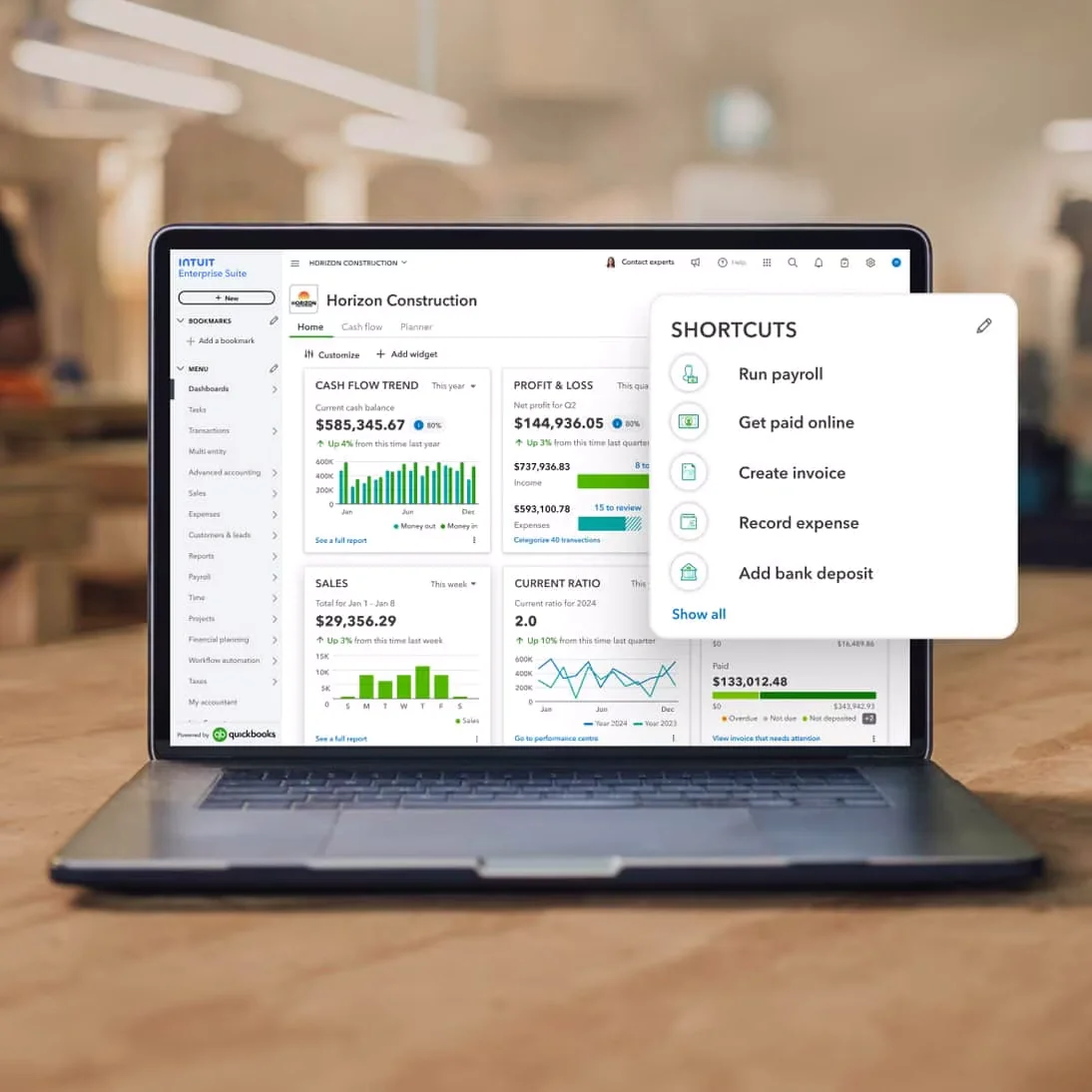
What Intuit Enterprise Suite Delivers
Intuit Enterprise Suite (IES) was purpose-built to address these challenges:
Multi-entity accounting in a single instance: Manage all entities with unified visibility
Automated consolidations: Real-time consolidated financials without manual work
Advanced permissions and role-based access: Enterprise-grade security and controls
Intercompany transaction management: Automated elimination entries and reconciliation
Dimensional reporting: Slice data by entity, department, location, project, or custom dimensions
Scalable architecture: Supports growth without performance degradation
Advanced inventory and order management: For product-based businesses
Robust API capabilities: Integrate with CRM, HRIS, e-commerce, and other systems
The right time to migrate is when your current system is holding you back more than the migration effort will cost you; in time, money, and opportunity.
The Migration Timeline: What to Expect
Understanding the realistic timeline for an Intuit Enterprise Suite migration helps set proper expectations and resource allocation.
Typical Migration Timeline:
Planning & Discovery: 2-4 weeks
Data Cleanup & Preparation: 3-6 weeks
System Design & Configuration: 2-4 weeks
Data Migration & Testing: 2-3 weeks
User Training: 1-2 weeks
Go-Live & Stabilization: 1-2 weeks
Total Duration: 3-5 months for most mid-sized businesses
Complex organizations with many entities, legacy systems, or unique requirements may require 6+ months. Rushing this timeline is one of the most common mistakes we see; it almost always leads to problems down the road.
Complete Intuit Enterprise Suite Migration Guide
A comprehensive 7-step framework for successfully migrating to Intuit Enterprise Suite, from discovery through optimization.
Discovery & Readiness Assessment
Current State Analysis
- Document existing platforms, entities, and integrations
- Assess data volume and historical transaction counts
- Identify pain points and manual workarounds
Future State Vision
- Define strategic goals and new capabilities needed
- Map compliance and reporting requirements
- Plan for anticipated growth over 3-5 years
Stakeholder Alignment
- Executive sponsor, finance leaders, IT team
- Department heads and external advisors
Critical Success Factor: Migrations fail when stakeholders aren't aligned on scope, timeline, and expectations.
Data Cleanup & Preparation
Chart of Accounts
- Remove duplicates and standardize naming
- Consolidate similar accounts and ensure logical numbering
- Map to financial statement categories
Master Data Cleanup
- Merge duplicate customer and vendor records
- Validate contact info, terms, and tax data
- Handle inactive records and ensure entity assignments
Historical Data Strategy
- Migrate detailed transactions for current year + 1-2 prior
- Bring summary data for older periods
- Maintain archive access to legacy system
Pro Tip: Time your migration to start at the beginning of a fiscal period to simplify cut-over and reporting.
Entity Structure & System Design
Entity Design
- Legal entities: Separate tax returns and financials
- Operational entities: Departments/locations for internal reporting
- Define consolidation hierarchy and relationships
Chart of Accounts Architecture
- Single chart (simplest) vs. entity-specific (flexible)
- Hybrid approach: Core standardized + unique where needed
Dimensional Design
- Department, Location, Class/Division, Project/Job
- Custom dimensions for customer type, revenue stream, etc.
Warning: Over-dimensionalizing creates data entry burden. Design for the 80/20 rule—capture dimensions that drive 80% of decision-making needs.
Integration Planning
- Payroll, CRM, e-commerce, inventory, expense management
- Banking, reporting/BI tools
- Define data flow, sync frequency, error handling
Migration Execution & Testing
Migration Strategy
- Big Bang: All at once, shorter timeline, higher risk
- Phased: Staged rollout, lower risk, longer timeline
- Parallel: Both systems running, highest confidence
Migration Process
- Phase 1: Initial test migration and validation
- Phase 2: Issue resolution and refinement
- Phase 3: User acceptance testing (UAT)
- Phase 4: Final production migration
Validation Checklist
- Assets, liabilities, equity match legacy system
- AR/AP balances and aged reports verified
- Inventory values and quantities correct
- Chart of accounts with correct types
- All master data migrated without duplicates
- Integrations tested and functional
- Reports generate correctly with consolidation
User Training & Change Management
Role-Based Training
- Executives: Dashboards, consolidated reporting, approvals
- Controllers: Full functionality, month-end, advanced reporting
- Accounting Staff: Daily transactions, intercompany workflows
- Department Users: Relevant reports, approvals, budget monitoring
Training Delivery
- Live sessions, recorded videos, written guides
- Sandbox environment for practice
- Office hours and Q&A sessions
Change Management
- Communication plan with regular updates
- Super user program for first-line support
- Support structure with defined response times
- Track adoption metrics and gather feedback
Go-Live & Stabilization
Go-Live Readiness
- All validation checks passed
- Integrations tested and working
- User accounts with correct permissions
- Bank feeds connected
- Reports configured and tested
- Training completed for all users
- Support structure in place
Go-Live Execution
- Choose low-volume day (Monday after month-end)
- All-hands support availability
- Process test transactions, verify feeds and integrations
- Address critical issues immediately
First Month Stabilization
- Week 1: Intensive support, daily check-ins
- Week 2-3: First month-end close, validate statements
- Week 4: Optimize workflows, reduce support intensity
Common Issues: Users can't find items, integration sync problems, balance discrepancies, performance issues, reverting to old workarounds. Address root causes quickly.
Post-Migration Optimization
Process Improvements
- Automation: Bank reconciliation, recurring entries, eliminations, approvals
- Reporting: Real-time dashboards, departmental P&Ls, KPI tracking
- Workflow: Streamlined AP, expense reimbursement, collections
Continuous Improvement
- Monthly: Gather feedback, identify pain points, review support trends
- Quarterly: Revisit dimensions, evaluate integrations, refine chart of accounts
- Annual: System health check, review against growth, plan for new entities
Success Metric: A successful migration enables new capabilities, improves efficiency, and scales with your business growth.
Common IES Migration Mistakes to Avoid
Learn from others' missteps:
1. Rushing the Timeline
Mistake: Trying to complete migration faster than realistic Result: Poor data quality, incomplete testing, user frustration Solution: Build adequate time into each phase; better to go live right than go live fast
2. Skipping Data Cleanup
Mistake: Migrating dirty data "because we'll clean it later" Result: Ongoing data quality issues, user mistrust, harder cleanup post-migration Solution: Clean data before migration, no matter how tedious
3. Inadequate Testing
Mistake: Limited validation before go-live Result: Discovering critical issues after cutover when stakes are higher Solution: Comprehensive UAT with real users and realistic scenarios
4. Poor Entity Design
Mistake: Replicating legacy structure without rethinking for scale Result: Limited reporting value, difficult to change later Solution: Design entity structure intentionally for current and future needs
5. Insufficient Training
Mistake: Assuming users will "figure it out" Result: Low adoption, workarounds, resistance to change Solution: Role-based training with ongoing support and documentation
6. Ignoring Change Management
Mistake: Focusing only on technical migration, not people side Result: User resistance, slow adoption, failure to realize benefits Solution: Invest in communication, training, and support throughout
7. No Integration Planning
Mistake: Dealing with integrations as an afterthought Result: Broken data flows, manual workarounds, disconnected systems Solution: Plan integration architecture early and test thoroughly
8. Weak Go-Live Support
Mistake: Limited support availability right after go-live Result: Frustrated users, critical issues unresolved, loss of confidence Solution: All-hands support during first weeks, rapid issue resolution
9. Forgetting About Optimization
Mistake: Treating migration as "done" once you're live Result: Missing opportunities to maximize system value Solution: Commit to continuous improvement and ongoing optimization
10. Going It Alone When You Shouldn't
Mistake: DIY migration without adequate internal expertise Result: Extended timelines, costly errors, system that doesn't meet needs Solution: Honest assessment of capabilities; engage expert help where needed
Should You DIY or Hire a Migration Partner?
This is one of the most important decisions you'll make.

When to Consider DIY Migration
You might handle migration internally if you have:
Strong internal accounting systems expertise
Prior experience with Intuit Enterprise Suite
Dedicated project resources with time to focus
Simple entity structure (1-3 entities)
Limited integrations
Clean, well-maintained data
Flexible timeline (can afford delays without business impact)
What to Look for in a Migration Partner
If you decide to work with a partner, choose carefully:
Support Model:
Post-go-live support and optimization
Responsive communication
Escalation path for critical issues
Long-term partnership approach
Technical Expertise:
Intuit Enterprise Suite certified consultants
Proven track record with similar migrations
Deep understanding of accounting and finance
Integration and technical capabilities
Methodology:
Structured, proven migration process
Clear project management and communication
Comprehensive testing and validation approach
Training and change management support
References:
Ask for client references
Talk to businesses similar to yours
Understand what went well and what didn't
Gauge client satisfaction and long-term value




Why Certum Solutions for Your Intuit Enterprise Suite Migration
At Certum Solutions, Intuit Enterprise Suite migrations are our specialty. We've helped hundreds of growing businesses transition from QuickBooks Online, legacy systems, and competitor platforms to Intuit Enterprise Suite; on time, on budget, and with confidence.
Our Migration Approach
1. Discovery-Driven Planning
We start by understanding your business, not just your software. Our discovery process uncovers your unique requirements, challenges, and opportunities so we can design a migration strategy that supports your specific goals.
2. Proven Migration Methodology Our structured approach has been refined through hundreds of successful migrations. We know what works, what doesn't, and how to navigate the complexities of multi-entity transitions.
3. Data Quality Focus We don't just move data, we improve it. Our data cleanup and validation process ensures you start with a strong foundation that supports accurate reporting and confident decision-making.
4. Strategic System Design Your entity structure, chart of accounts, and dimensional design will serve your business for years. We take the time to get these foundational elements right based on your current needs and future growth plans.
Who We Serve
Industries:
Professional services firms
Healthcare and life sciences
Technology and SaaS companies
Manufacturing and distribution
Retail and e-commerce
Construction and real estate
Non-profit organizations
Private equity portfolio companies
5. Comprehensive Testing We don't believe in surprises at go-live. Our rigorous testing and validation process catches issues early when they're easier and less costly to fix.
6. User-Focused Training Technology is only valuable if your team can use it effectively. Our role-based training approach ensures every user gets the knowledge and support they need to succeed.
7. White-Glove Go-Live Support We're with you every step of the way, especially during the critical go-live period when you need us most. Our team provides intensive support to ensure a smooth transition.
Company Profiles:
Multi-entity businesses (3-50+ entities)
Growing companies outgrowing QuickBooks Online
Businesses undergoing M&A activity
Organizations needing consolidated reporting
Companies with complex intercompany transactions
Businesses requiring multi-dimensional reporting
8. Long-Term Partnership Migration is just the beginning. We support ongoing optimization, system enhancements, and growth so you continue to get max value from your Intuit Enterprise Suite investment.
Our Track Record
500+ successful Intuit migrations
99% on-time, on-budget delivery rate
Average time to go-live: 3.5 months
Client satisfaction rating: 4.8/5
Intuit Premier Partner status
Next Steps: Planning Your Migration
Ready to move forward with your Intuit Enterprise Suite migration? Here's how to get started:
Get Started in 3 Steps:
Step 1: Schedule a Migration Assessment
Book a complimentary consultation with our migration team. We'll discuss:
Your current environment and pain points
Your business goals and growth plans
Timeline and budget considerations
Migration approach and recommendations
Answers to your specific questions
Step 2: Receive Your Custom Migration Plan
Based on our assessment, we'll provide:
Recommended migration approach
Detailed timeline and milestones
Transparent cost estimate
Risk assessment and mitigation plan
Expected ROI and business impact
Step 3: Make Your Decision
Armed with a clear plan and realistic expectations, you can confidently decide:
Move forward with Certum Solutions as your partner
Take elements of our plan and execute internally
Delay migration until timing is better
Whatever you decide, you'll have the insights you need to make an informed choice.
Frequently Asked Questions
-
Most mid-sized businesses complete migration in 3-5 months. Simpler organizations may finish in 2-3 months, while complex multi-entity businesses may require 6+ months. Factors affecting timeline include:
Number of entities
Data quality and cleanup needs
Customization requirements
Integration complexity
Internal resource availability
-
Migration costs vary widely based on complexity. Factors include:
Number of entities and transaction volume
Data cleanup requirements
Custom configurations and integrations
Training needs
Whether you DIY or work with a partner
Professional migration services typically range from $15,000 to $100,000+ for complex enterprises. Certum Solutions provides transparent, fixed-price quotes based on your specific scope.
-
You can migrate at any time, though there are advantages to certain timing:
Best Times:
Start of fiscal year (cleanest historical data transition)
Start of fiscal quarter (easier period comparisons)
Start of any month (simpler reconciliation)
Timing to Avoid:
Middle of busy season
During other major business changes (M&A, ERP implementation)
When key finance staff are unavailable
Many businesses successfully migrate mid-year. The key is proper planning regardless of timing.
-
You have options:
Detailed migration: Bring all transactions for specified periods (typically 1-3 years)
Summary migration: Import opening balances and summary history
Archive access: Keep legacy system read-only for historical reference
Most businesses migrate detailed data for the current year plus 1-2 prior years, and maintain legacy system access for older data.
-
No. You can choose:
Big bang: All entities migrate at once (faster, cleaner cutover)
Phased: Migrate entities in stages (lower risk, longer timeline)
Your approach should align with your risk tolerance, timeline, and organizational complexity.
-
It depends on the integration. Some considerations:
Many apps have native Intuit Enterprise Suite connectors
Custom integrations may need reconfiguration
API-based integrations typically require mapping updates
Bank feeds are re-established in the new system
Part of migration planning is assessing and reconfiguring integrations. Certum Solutions handles this as part of our migration service.
-
Some changes are inevitable, but the goal is to improve, not disrupt:
Core accounting workflows are similar (AR, AP, banking)
Multi-entity and consolidation processes become easier
Reporting is typically faster and more flexible
Some new capabilities may enable process improvements
Proper training minimizes disruption and helps users adapt quickly.
-
With proper planning and testing, major issues are rare. However:
Your legacy system remains intact as a backup
Comprehensive testing catches issues before go-live
Intensive support during stabilization period resolves issues quickly
In rare cases, you can roll back and fix issues before re-attempting go-live
Certum Solutions provides 30-day post-go-live support to address any issues that arise.
-
While customization is possible, it's often not the best approach:
IES has powerful native capabilities
Over-customization increases cost and complexity
Better to adapt processes to leverage platform strengths
Focus customization on unique business requirements
During migration planning, we help identify where customization adds value versus where process adaptation is better.
Ready to Start Your Migration Journey?
Migrating to Intuit Enterprise Suite is a significant decision and investment. Done right, it provides the financial infrastructure to support years of growth and success. Done poorly, it creates headaches that take months to resolve.
At Certum Solutions, we've guided hundreds of businesses through this transition. We know what it takes to migrate successfully, and we're here to help you every step of the way.
✓ Serving Nationwide Across The U.S.
✓ Certified Intuit QuickBooks Partner
✓ Certified Consultants